
Kind of. A bit.
But maybe not in ways you’d expect.
An odd thing for me to discuss maybe, in that Retina’s work is creating virtual or distilled realities from 2-dimensional drawings and presenting them as an artist’s impression, relying on computer generated techniques and software.
This raises the question: how does this differ from the (beautifully labelled) “AI slop” that seems to be saturating social media globally?
A couple of things – Retina works in tandem with the designer, it’s a two way conversation and the design team will have firm ideas about how things should look, and both of our respective professional judgments come to bear upon the final image.
Also, we’re more often than not, working from an accurate drawing package. Even at the early stages of a project, there will be key dimensions at play, and we don’t get these things wrong. We constantly check and check again, in a ‘measure twice, cut once’ approach to ensure accuracy.
So. OK. How do we use AI in our work?
It’s a bit boring for the most part, actually. We use it to do humdrum things.
Coding.
Most CAD or indeed 3D modelling software packages include a ‘scripting’ extension that allows you to write code, usually to tackle repetitive mundane tasks easily and quickly. The modelling tool we primarily use, 3ds Max, is no different and its scripting language is called MaxScript.
I’ve written extensively before now about how useful MaxScript is, and these posts can be found on SubStack here.
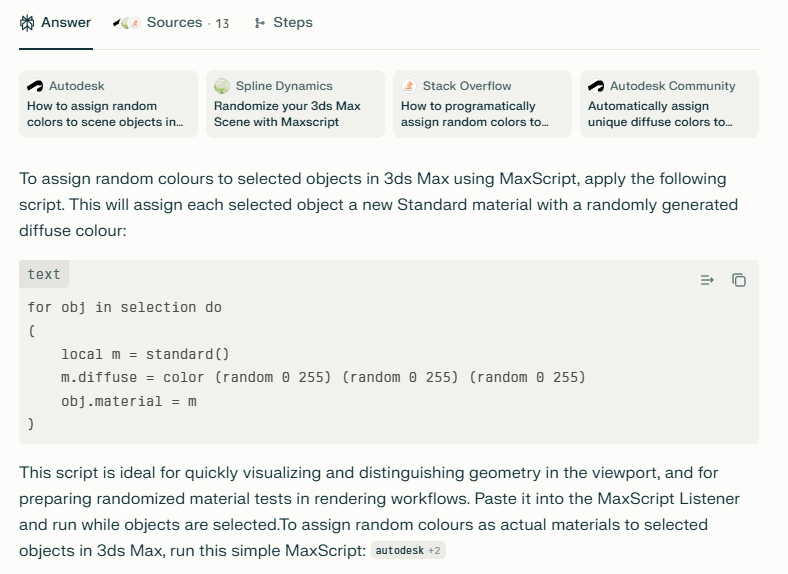
Recently, I’ve turned to something like perplexity.ai to help me write code. It has a good stab at it, doesn’t always get it right, but I’m versed enough in MaxScript to spot where it’s gone a bit astray and can amend the script accordingly. It does save a lot of time, which would otherwise be spent wading through a large amount of documentation.
Here’s a simple example –
“write me a maxscript that assigns random colours to a bunch of selected objects in 3ds Max”
De-noising.
The use of AI in rendering software has been around for a while in actual fact, primarily with what’s known as ‘de-noising’.
Most modern rendering software uses a technique called path-tracing.
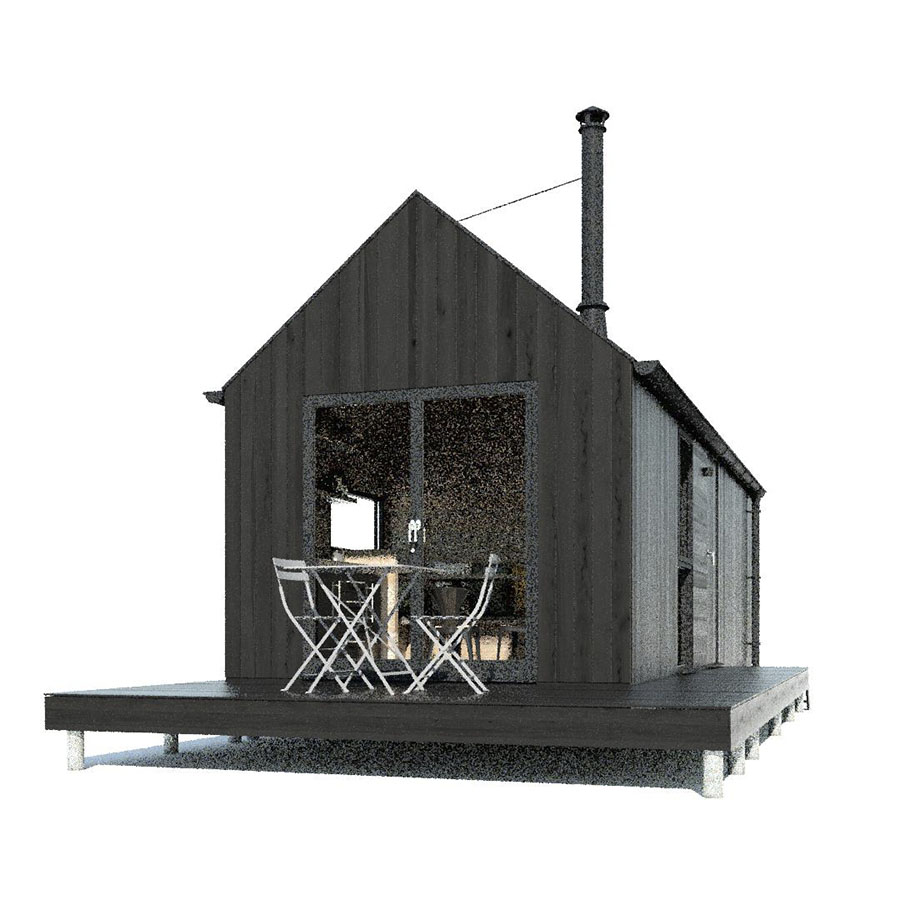
Simply, the software has a general go at producing an image, but one which is very grainy initially (the graininess is what we call ‘noise’). It will go through a series of iterations (samples) and then, after a while, arrive at a cleaner, less grainy image.
A lot of the time, there will be random very bright pixels dotted about too, these we call fireflies.
Here’s an example of a render, which hasn’t had a lot of time to process, demonstrating the amount of noise at the early stages.
To reduce the amount of noise, it’s just a case of letting the software do more samples but then the render times can drift from minutes into hours, so a solution is to use AI to look over the image and de-noise it.
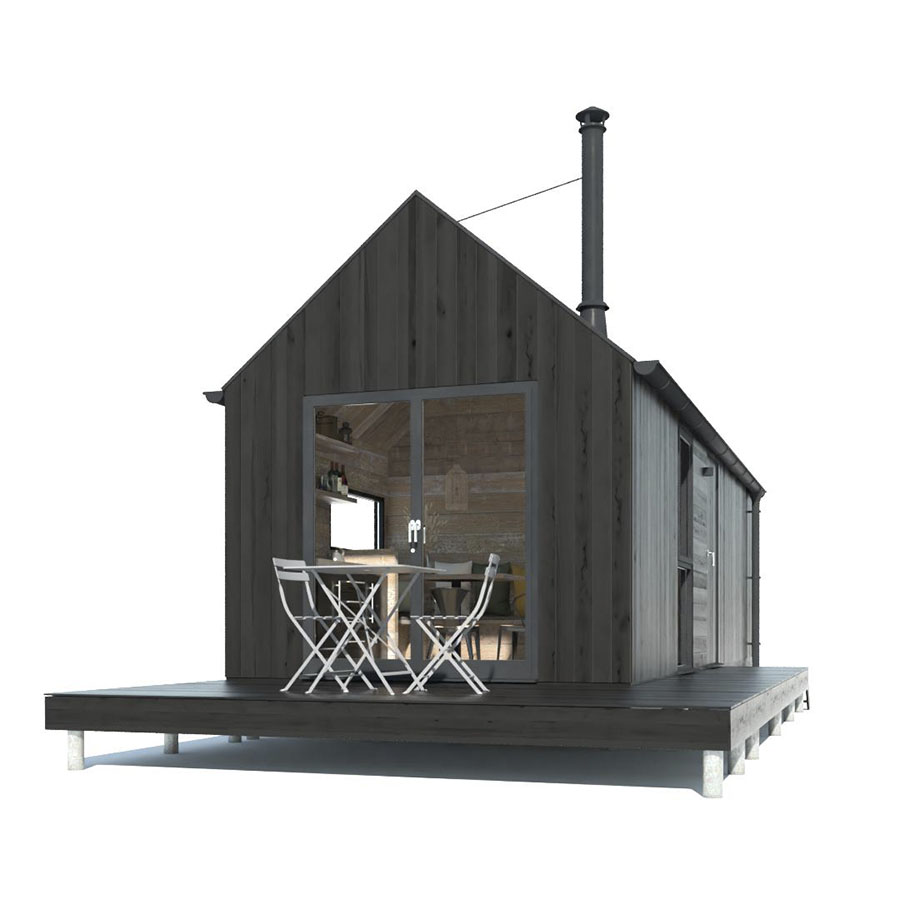
Rendering for something like 50 samples will still keep some noise, but the de-noiser has done its best to clean things up (we usually render for much longer, but I wanted to show the contrast between it and the de-noised render..).
It has made things look softer, probably by sampling neighbouring pixels and averaging them out with what’s known as a ‘median’ filter.
In truth, we typically render images with more samples and at a significantly higher resolution, which eliminates blurry pixels.
You can find out more about what de-noisers do here.
Extending image textures.
Similar to rendering software introducing AI, image editing software such as Photoshop is steadily adding AI functionality.
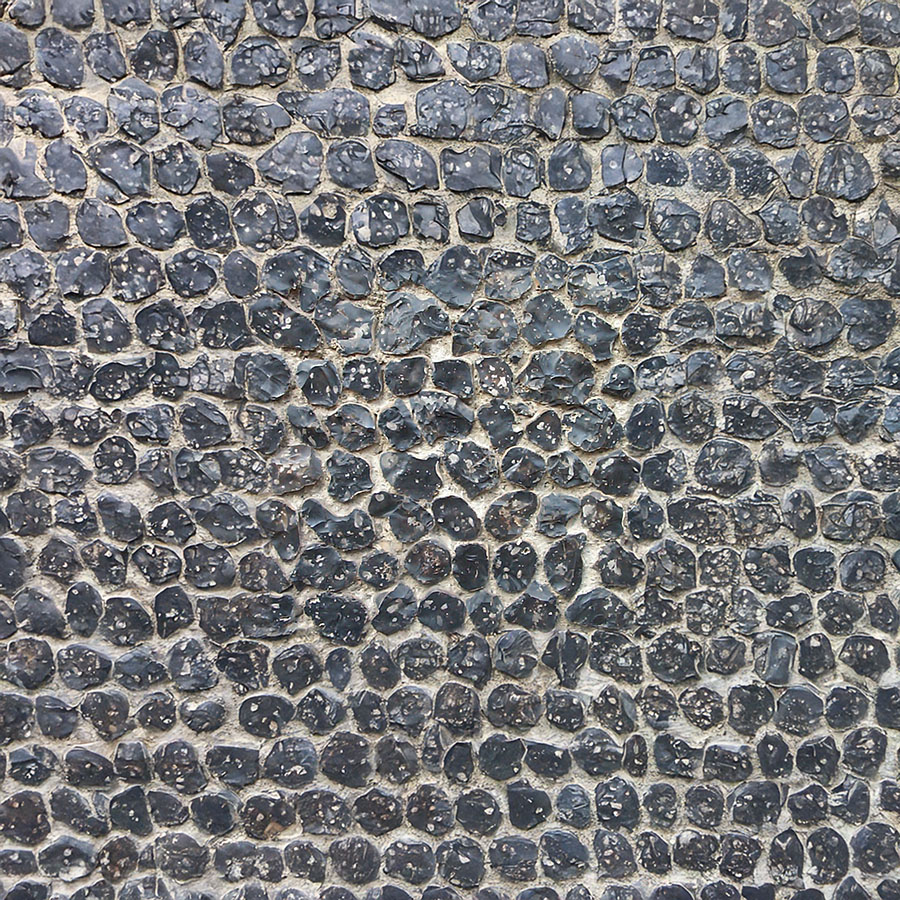
The generative fill and expand functionalities within Photoshop are useful when working with texture maps, used by 3D artists to describe organic surfaces such as brickwork, wood, stone and so forth.
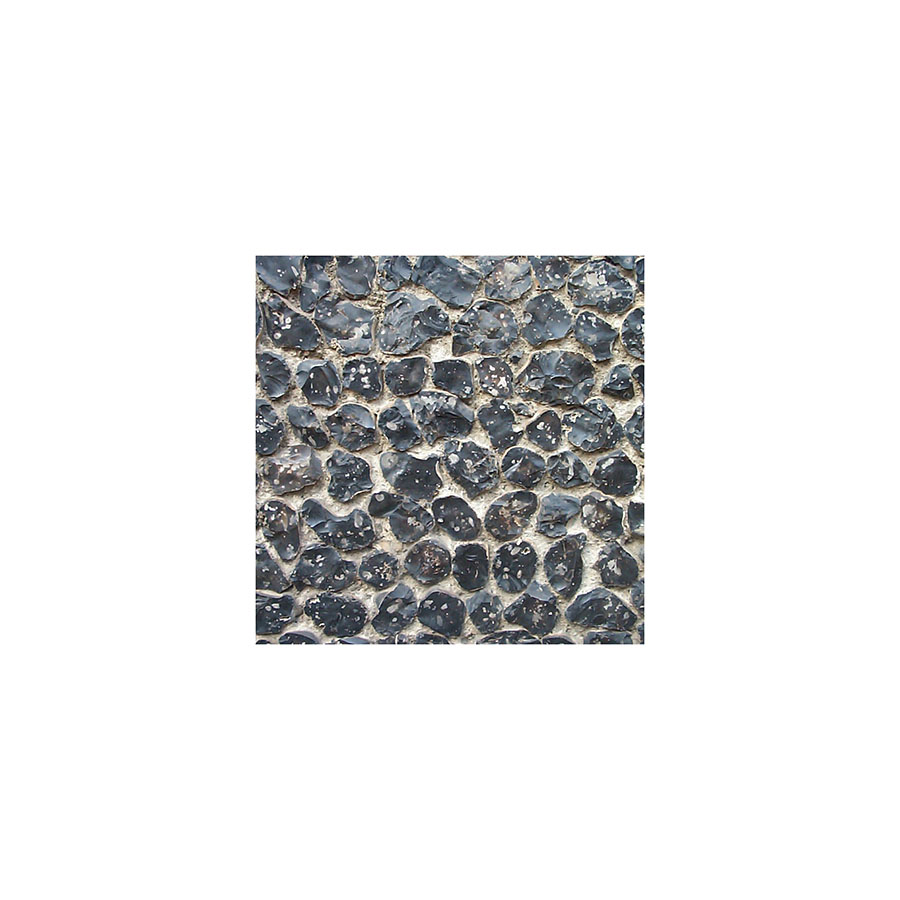
With texture maps, bigger is better as they provide more coverage and less repetition and we can use AI to extend small areas when photographs of material samples are limited in scope.
The image below show where I’ve extended a small area of a flint stone wall into a much more useful texture map using the AI powered generative expand techniques now available in Photoshop.
Another useful feature of AI is cleaning up unwanted elements from photography.
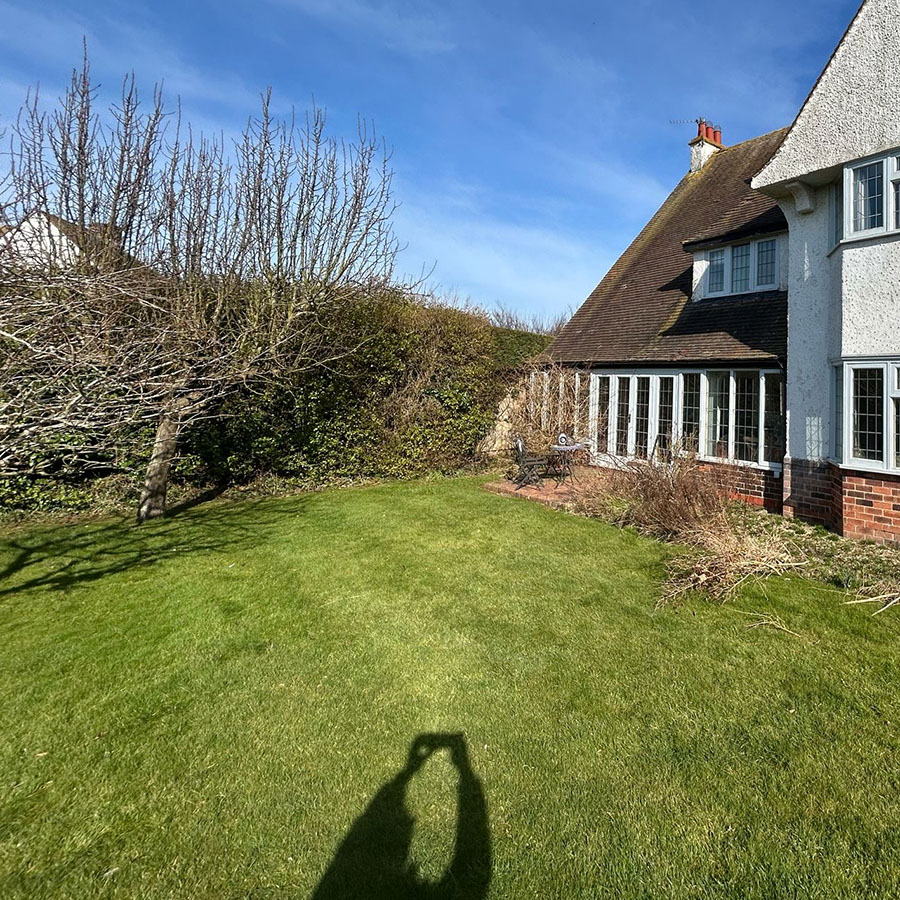
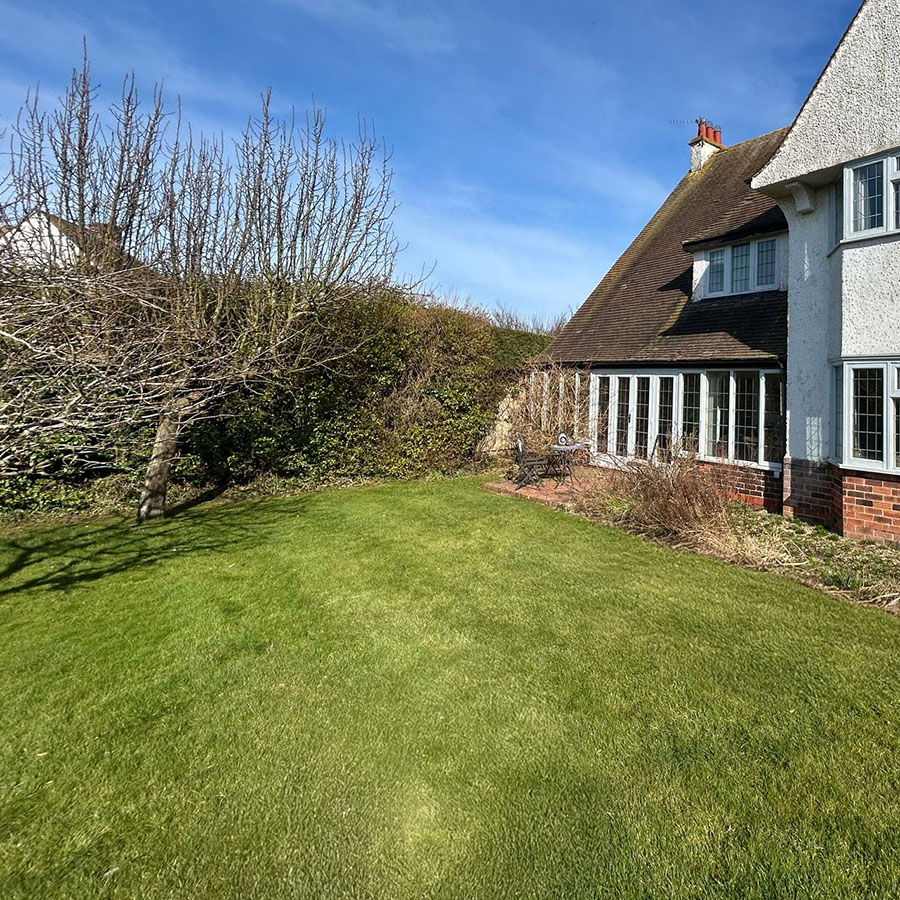
Photoshop has always had the ‘clone’ tool where neighboring pixels can be overlaid to remove clutter but sometimes it’s quite painstaking to use, and the results look synthetic and repetitive.
Here’s an example where I’ve tidied up a suburban lawn and removed the photographer’s shadow using the generative fill tools in Photoshop.
Moving on to 3D geometry, something more exciting and I think shows promise – using AI to model objects based on photography.
Creating 3D from 2D
Recent developments in AI over the past few years has resulted in techniques to effectively guess at what is present within a 2d image, infer and create 3D geometry.
The most promising AI models for creating 3D objects from 2D images are using a ‘Flow-Based Diffusion Transformer’ where the AI starts with a vague or blurry guess (diffusion), and gradually sharpens the details (flow), much like focusing a lens.
In my own tests, I’ve found it works well with organic objects, moulded surfaces and statues for example, which makes me think that this technique could be useful with the 3d modelling of elements found within heritage buildings.
In the example shown below, I supplied a single photograph of ‘Aurora’, (the statue that sits on the dome of the Kings Theatre, Portsmouth) to see what an AI algorithm (Hunyuan3D) could come up with.
Here’s Aurora !
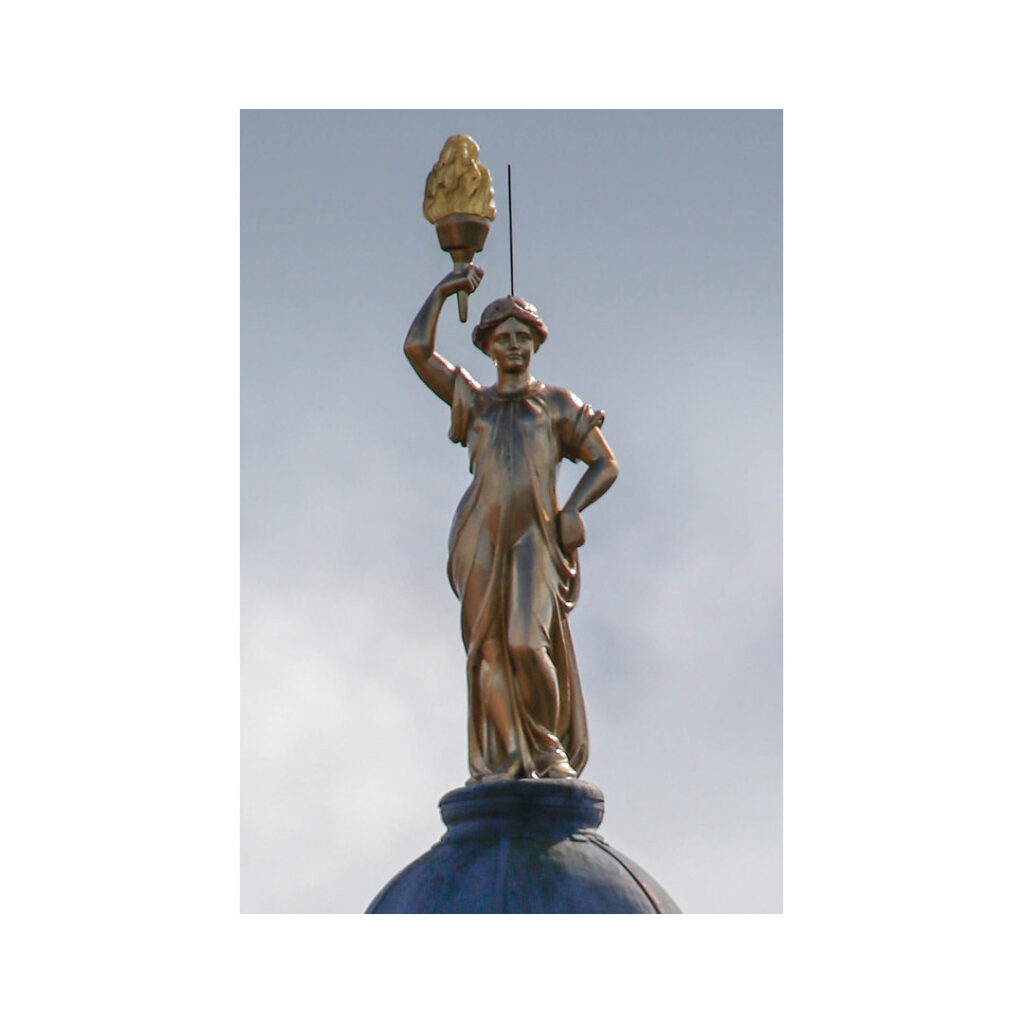
And here’s the resultant AI generated model viewed from several angles –
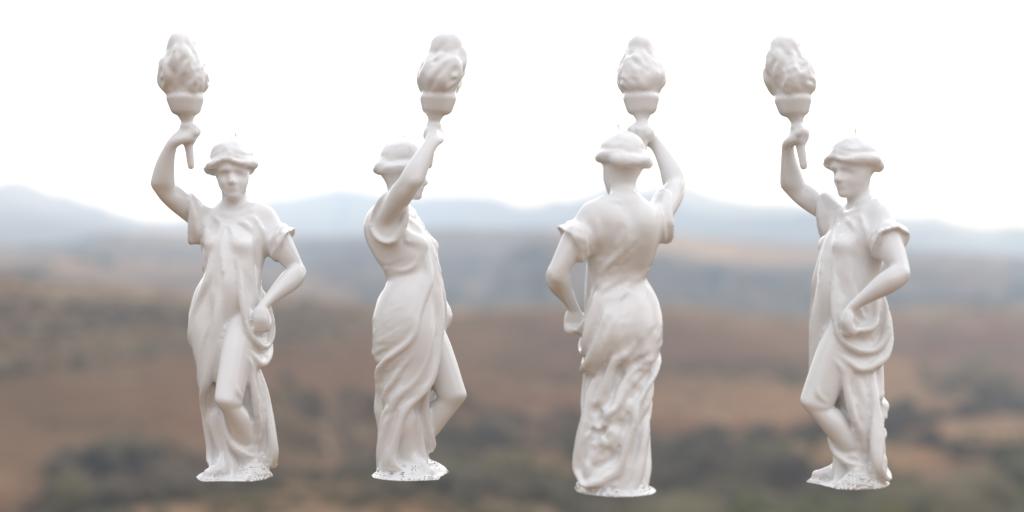
Whilst not super detailed, it’s interesting how the AI has created the back of the statue (as best as it can), something I didn’t expect.
Also the lower half looks fore-shortened, but this would be an easy fix in 3D modelling software, as would be the colouration.
What’s especially relevant is the time aspect to create this, several minutes as opposed to several hours of my time (I’m not the greatest character modeller !).
So, given that AI could, in theory, create useful geometry (and alter photography), are the implications for sensitive things like planning applications?
AI in Planning Applications?
The UK Planning Inspectorate provided guidance regarding the use of AI in September 2024.
‘The Inspectorate understands that AI can be used to support our work, and that this can be done positively when it is transparently used. Due to the evolving capability and application of AI we will keep this guidance under review.’
www.gov.uk/guidance/use-of-artificial-intelligence-in-casework-evidence
It appears then, that the use of AI is acceptable, as long as the applicant and their consultants ‘fess up’ and highlight areas where used.
‘In addition, if you have used AI, you should do the following:
- Clearly label where you have used AI in the body of the content that AI has created or altered, and clearly state that AI has been used in that content in any references to it elsewhere in your documentation.
- Tell us whether any images or video of people, property, objects or places have been created or altered using AI.
- Tell us whether any images or video using AI has changed, augmented, or removed parts of the original image or video, and identify which parts of the image or video has been changed (such as adding or removing buildings or infrastructure within an image).
- Tell us the date that you used the AI.
- Declare your responsibility for the factual accuracy of the content.
- Declare your use of AI is responsible and lawful.
- Declare that you have appropriate permissions to disclose and share any personal information and that its use complies with data protection and copyright legislation.
By following this guidance, you will help us, our Inspectors, and other people involved in the appeal, application or examination to understand the origin, purpose, and accuracy of the information. This will help everyone to interpret it and understand it properly.’
I’m well versed in providing methodology statements to assist with the planning process, particularly when providing ‘verified views’ or AVRs, and I personally don’t think this is further obfuscation, although it inevitably adds an additional layer of paperwork.
So. OK. Do we use AI in our work?
Given the theme of this post, my interest in AI is purely based around its potential as a supportive piece of software rather than a ‘generative’ one.
It will become ever more powerful, and so I keep my eye on things.
Certainly the more ‘utility’ aspects, of AI are helpful, and do save time and that is to be welcomed.
An example would be Aurora featured in our cross-sectional image provided for the planning application King’s Theatre in Portsmouth.
As for generative AI (the AI slop!) – hmm, that’s probably worth another post..